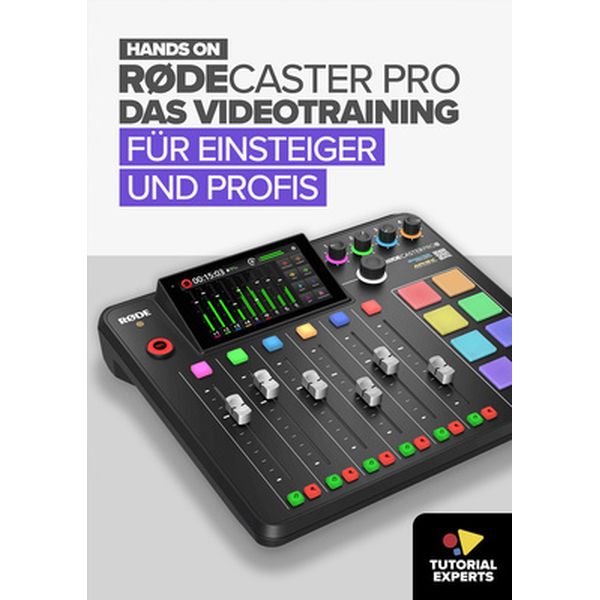
| Rodecaster Pro 2 Videotraining
45.00 EUR - Voir plus - Acheter
Délais: 24 heures - En StockMatériel : Livre
Langue :  Deutsch Deutsch Video Tutorial for the Rode Rodecaster Pro II (Download)
- Five hours running time in full HD resolution
- Integrated lesson descriptions
- Bookmarks and search function to quickly find the desired topics
- Tutorial is in German
- Overview
- Connections and basic operating instructions
- Monitoring and output of signals
- Signal inputs and channel settings
- Level and metering
- Connecting different sources (microphones, wireless, line, instruments, USB, etc.)
- Creating a ‘mix’
- Recordings (target media, stereo/multitrack, media, transfer)
- Output (stereo or multitrack), output to a DAW
- Caution: Pitfalls!
- Routing settings in detail and practice
- Mute, solo and backchat
- Rearranging and reorganising channels
- Sound editing and effects (filter, de-esser, gate, EQ, exciter, delay, etc.)
- Configuring and using smart pads (playing audio files, effects, mix control, MIDI)
- MIDI – understanding and using
- The ‘show’ – what's included
- The RØDE Central | RØDE Companion app
- Virtual devices for additional USB inputs and outputs
- Advanced features for power users
- Many more tips and practical examples for various applications
Editeur : | |
Contenu:
Inhalt:
Überblick
Anschlüsse und Grundlagen zur Bedienung
Monitoring und Ausgabe von Signalen
Signaleingänge und Kanaleinstellungen
Pegel und Metering
Einbinden unterschiedlicher Quellen (Mikros, Wireless, Line, Instrumente, USB etc)
einen "Mix" erstellen
Aufnahmen (Zielmedien, Stero/Multitrack, Medien, Übertragung)
Ausgabe (Stereo oder Multitrack), Ausgabe in eine DAW
Vorsicht Stolperfallen!
Routing-Einstellungen in Detail und Praxis
Mute, Solo und Backchat
An- und Neuordnung der Kanäle
Klangbearbeitung und Effekte (Filter, DeEsser, Gate, EQ, Exciter, Delay etc.)
Smartpads konfigurieren und einsetzen (Audiofiles spielen, Effekte, Mix-Steuerung, MIDI)
MIDI - verstehen und einsetzen
die "Show" - was ist enthalten?
die RØDE Central | RØDE Companion App
Virtual Devices für weitere USB Ein- und Ausgänge
fortgeschrittene Funktionen für Power-User
viele weitere Tipps und Praxisbeispiele zu unterschiedlichen Anwendungen
|
|